An AI sidebar that summarizes any page, drafts replies in your inbox, or adds a chat assistant to your browser sounds like a small convenience. It’s also an extension with permission to read everything on every page you visit, which is exactly the access a data-harvesting tool would ask for too.
That’s not hypothetical. In 2026, Microsoft’s security team documented two Chrome extensions impersonating popular AI assistants that collected full browsing URLs and complete AI chat histories from roughly 900,000 installs, then sent that data to servers the developers controlled every 30 minutes.
This article walks through that incident as a case study, then gives you a permission checklist to run before installing any AI extension. The pattern behind it repeats constantly, under different names.
How we compared
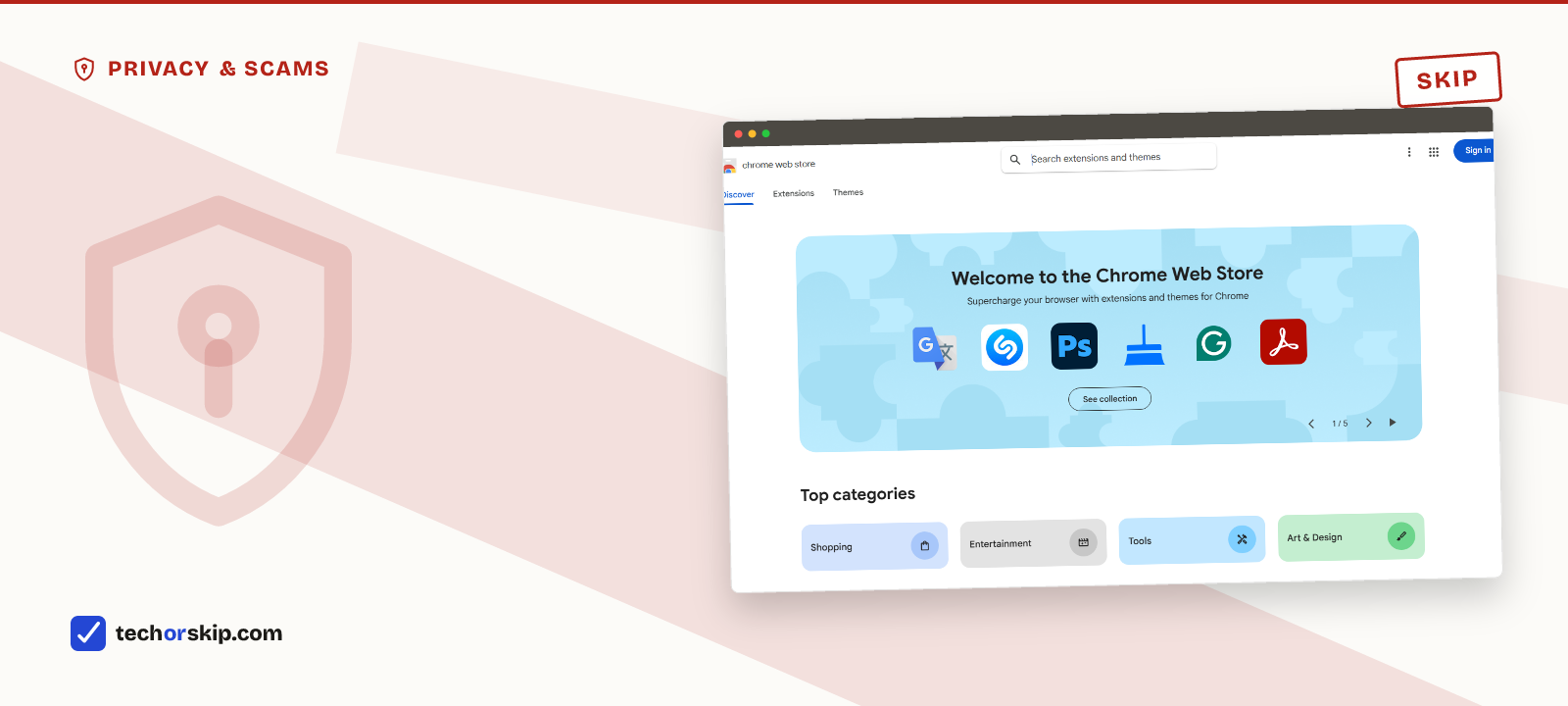
The Chrome Web Store homepage, the starting point for nearly every extension install, malicious or not.
We didn’t install malware to see what happens. Everything below comes from three kinds of public evidence: Microsoft Security’s published analysis of a live campaign, LayerX’s 2026 enterprise extension research, and Google’s own Chrome Web Store policy documentation. All three are linked in the sources.
The checklist at the end is ours, built from what those reports say the bad extensions had in common. Anyone can run it in a couple of minutes without special tools.
The incident: what “harvesting” actually looked like
Microsoft’s research identified two Chromium extensions that behaved normally at first. A later, automatically pushed update added code that intercepted conversations from AI platforms including ChatGPT and DeepSeek.
The extensions captured full page URLs (including internal company tools), the actual text of AI chat conversations along with prompts, responses and model names, and persistent identifiers tied to each user. Microsoft reports that data went out at regular intervals as ordinary HTTPS POST requests to attacker-controlled domains including deepaichats.com and chatsaigpt.com, with the local buffer cleared after each upload. Because the exfiltration used standard web requests instead of anything exotic, it blended into normal network traffic.
The install count is the part worth sitting with: roughly 900,000 people, across more than 20,000 organizations, added an extension that looked like a helpful AI tool and got a keylogger for their AI conversations instead. Nobody in that group thought they were taking a risk.
Worth naming what wouldn’t have helped here: a VPN. The extension read page content and chat text directly inside the browser, so nothing about encrypting network traffic touches that. If you’re weighing a VPN purchase for a different reason, free VPN vs paid VPN covers what one actually protects against.
The pattern to watch for
The two incident extensions share a structure that shows up across most malicious AI extensions, whether or not they ever get caught:
- They ask for “read and change all your data on all websites.” That’s the permission needed to inject an AI sidebar into any page, and also the permission needed to read everything you type or view.
- They update silently and add capability later. The malicious behavior in the Microsoft case arrived in a routine auto-update, not the original install. A clean initial review means nothing if updates aren’t scrutinized the same way.
- They mimic a name you already trust. Branding an extension “ChatGPT for Chrome” borrows OpenAI’s credibility without OpenAI’s involvement. A trademark-adjacent name is not the same thing as an official product.
- Data-sharing disclosure is vague or missing. Read the actual privacy policy, not just the Chrome Web Store summary. If it doesn’t say who data goes to and why, assume the answer is “advertisers.”
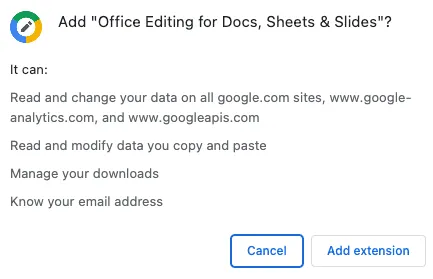
Chrome’s install dialog is the last screen where any of this is still your decision. Read the permission line, not the extension’s name. Image: Chrome for Developers documentation, CC BY 4.0.
| Permission requested | Legitimate use | What it also enables |
|---|---|---|
| Read and change all data on all sites | Inject an AI sidebar or summarize any page | Read everything you type, view, or paste, on every site |
| Access to cookies | Stay logged in to the extension's own service | Hijack sessions on other sites you're logged into |
| Access to browsing history | Suggest AI actions based on recent pages | Build a sellable profile of everywhere you go |
| Background/always-on scripts | Keep an AI assistant instantly available | Run silently even when you're not using the extension |
New Chrome Web Store rules won’t catch everything
Google tightened its Chrome Web Store policies effective August 1, 2026: extensions must limit data collection to what their stated single purpose requires, disclose everything they collect, and notify users proactively when data handling changes. That’s a real improvement, and it gives you a policy to point to if an extension is later found violating its own disclosure.
It is not a guarantee. The two extensions in the Microsoft incident passed Chrome Web Store review and operated normally before their malicious update. Automated store scanning did not catch the behavior change. Store approval is a floor, not a certification that a given AI extension is safe to run today.
Separately, LayerX’s 2026 enterprise extension research found that AI-branded extensions are 60% more likely to have a known vulnerability (CVE), three times more likely to have access to cookies, and 2.5 times more likely to be able to execute remote scripts than non-AI extensions. They’re also six times more likely to have quietly expanded their permissions in the past 12 months, against a baseline where 34% of all extensions did. The AI label itself correlates with more risk, not less, largely because the category is new and moves fast.
How to vet an AI extension before installing
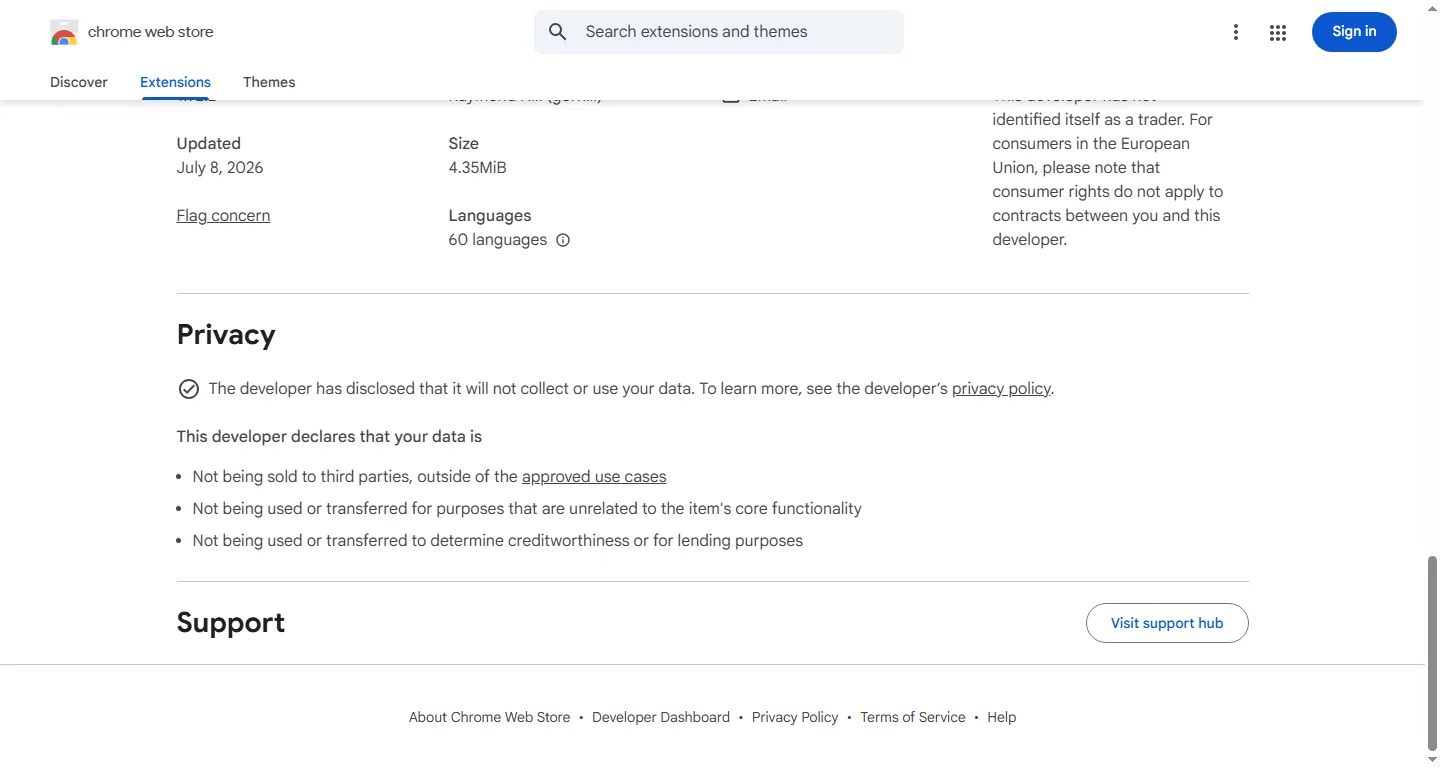
A transparent privacy-practices panel, shown here on uBlock Origin’s listing. This is what “clearly disclosed” actually looks like on the page.
Before adding any AI extension, spend two minutes on this:
- Check the developer. A real company or named individual, a working website, and a support contact. If you can’t find who made it, don’t install it.
- Read the permissions literally. If a “summarize this page” tool wants access to cookies or every site you visit beyond the page you’re on, ask why.
- Check the update history. An extension updated last week with no changelog is worth more scrutiny than one with a public changelog and steady, explained updates.
- Search the extension name plus “malware” or “data” before installing, not after. Security researchers usually publish findings faster than app stores act on them.
- Reread the privacy policy’s data-sharing section, specifically. Marketing copy says “we respect your privacy.” The privacy policy says who actually gets your data.
If you’ve already installed AI extensions and skipped this process, this is also a good moment to check what other settings on your devices are worth a second look. See phone settings worth changing immediately for the equivalent audit on mobile.
Worth it for
- Legitimate AI extensions from verified developers can genuinely save time
- The August 2026 Chrome Web Store rules give users a policy to hold extensions to
- The vetting checklist above takes minutes and catches most red flags
Skip it if
- A clean install today does not guarantee a clean update tomorrow
- AI-branded extensions carry measurably higher security risk than the extension category overall
- Store approval has already failed to catch a 900,000-install data-harvesting campaign
Alternatives
- Rather than a browser extension with broad page access, many AI tools work fine as a website tab you open when needed. See genuinely useful free AI tools for options that don’t require installing anything.
- If your concern is a compromised account rather than a compromised extension, a password manager with unique passwords per site limits the blast radius either way.
- Worried about a scam rather than a data-harvesting tool specifically? Learn how to recognize an AI-generated scam. The manipulation tactics overlap.
Verdict
SKIP AI browser extensions by default. The category has a documented, seven-figure-install incident of exactly the worst-case outcome, and independent research shows AI-branded extensions carry meaningfully higher security risk than average. If one is genuinely useful to you, run it through the five checks above first, and recheck after every update, not just at install.
Common questions
Are AI Chrome extensions safe to install?
Most aren’t automatically safe just because they’re on the Chrome Web Store. Microsoft’s security team found two Chrome extensions that behaved normally at first, then pushed a routine update that started harvesting page URLs and full AI chat histories from roughly 900,000 installs. Store approval catches obvious problems at install time, not a malicious update six months later, so treat any AI extension as unproven until you’ve checked who built it and what it actually does with your data.
How do I check if a browser extension is safe before installing?
Run the five-point check from above: confirm a real developer with a working website, read the actual permissions instead of the extension’s name, look at whether updates come with a changelog, search the extension’s name plus “malware” before installing, and read the privacy policy’s data-sharing section specifically. It takes about two minutes and would have flagged both extensions in the Microsoft incident before they did any damage.