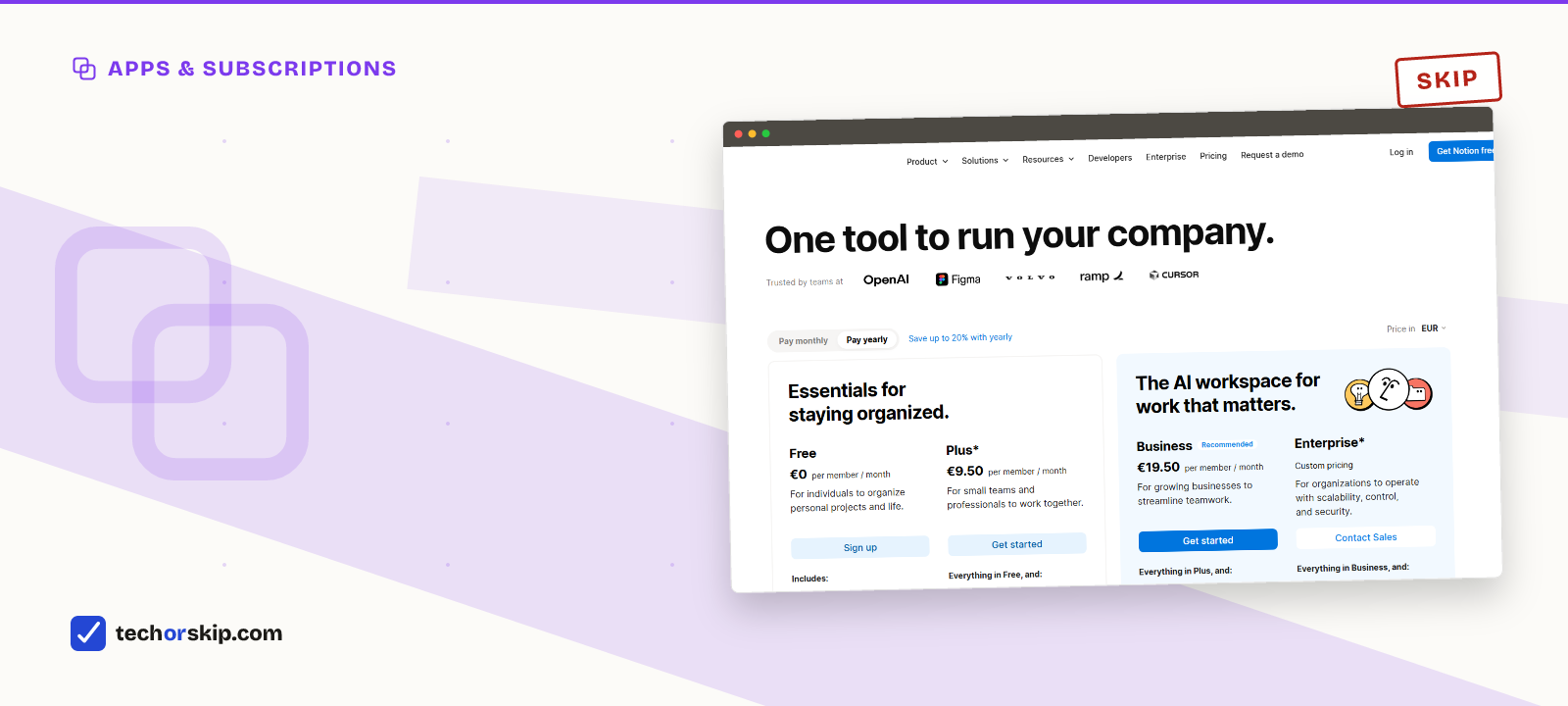
For a single person, yes. Notion’s free plan gives you unlimited pages and blocks, which is the limit that used to push people to pay. Where free actually falls short is narrower: a 5MB file upload cap, seven days of version history, and none of Notion’s full AI features.
Whether those three gaps matter depends entirely on how you use it. Someone journaling and organizing notes will likely never hit any of them. Someone uploading videos or relying on being able to undo a mistake from two weeks ago probably will.
How we compared
Every limit below comes from Notion’s own pricing page, checked in July 2026. Where the USD price isn’t the number shown (Notion’s page renders in local currency, and ours showed euros), that’s flagged rather than quietly converted, and a second, US-focused pricing tracker is cited for the dollar figure.
We haven’t tested Notion’s AI features ourselves. What’s covered here is plan structure and stated limits, not a hands-on review of output quality.
The block limit that used to matter doesn’t anymore
For years, “how many blocks does free Notion allow” was the first question anyone asked. Notion’s current pricing page states plainly that free gives you unlimited pages and blocks. The catch is one word: for individuals.
The moment a second person joins your workspace, a shared block limit reappears. So the real answer is: unlimited if you’re the only member of your workspace, capped the moment you invite someone in as a full member rather than a guest. If this is genuinely personal, solo use, that limit never touches you.
What personal use actually covers
“Personal use” is doing a lot of work in this question, so it helps to be concrete about what fits inside free without friction.
A daily journal, a reading list, a habit tracker, a recipe box, a personal wiki of notes and links, a job search tracker with linked databases: all of that is text, checkboxes, and small embeds. None of it comes close to the 5MB file cap or needs guests at all. This is the overwhelming majority of what “personal use” means in practice, and free was built for exactly this.
Where it gets less clear is anything closer to a small project than a personal notebook: freelance client work, a home renovation with photos and PDFs attached, a shared household budget with a partner. That’s still personal in the sense of “not a company,” but it starts brushing against the guest cap and the file-size limit faster than pure note-taking does.
Where free actually gets tight
Three things separate free from Plus, and none of them is block count.
File uploads cap at 5MB. That’s fine for documents, images, and most PDFs. It’s not fine for video, large design files, or anything you’d normally just drag into a folder. Plus removes the cap entirely.
Version history holds seven days. Notion keeps a rolling week of edit history on free. If you need to recover something from three weeks ago, free can’t do it. Plus extends that to 30 days.
Guests cap at 10. Free allows up to 10 external guest collaborators. For genuinely personal use, that’s rarely a real constraint. Plus removes the cap, which matters more for small teams than for individuals.
The 5MB cap has a workaround worth knowing before you upgrade for it. Notion embeds links to Google Drive, Dropbox, or a direct URL just as easily as an uploaded file, and an embedded link doesn’t count against the upload limit at all. If you already keep large files somewhere else, linking instead of uploading gets you most of the practical benefit of unlimited storage without paying for it.
Version history doesn’t have the same workaround. There’s no free way to extend it, and the seven-day window is a real risk specifically because you won’t notice it until the day you need to undo something older than a week and can’t.
If you’re auditing every subscription you pay for, not just Notion, our breakdown of subscriptions you can replace for free covers nine other tools with the same free-versus-paid math.
The AI question, answered separately from the plan question
This is where a lot of people upgrade for the wrong reason. Notion’s pricing page lists the exact same line, “trial AI capabilities like generating docs, or autofilling databases,” under both Free and Plus. Upgrading to Plus does not buy you more AI.
Full AI features, the kind that run agents and answer questions across your workspace, live on the Business plan, priced well above Plus. If your reason for considering Plus is “I want more Notion AI,” Plus is the wrong upgrade. Business is the plan that actually includes it, at a meaningfully higher per-member cost.
For personal use specifically, this matters: don’t pay for Plus expecting an AI upgrade that isn’t there.
Pricing
| Plan | Price | Personal-use limits |
|---|---|---|
| Free | $0 | Unlimited blocks solo, 5MB uploads, 7-day history, 10 guests |
| Plus | About $10/mo annual, $12/mo monthly | Unlimited uploads, 30-day history, unlimited guests |
| Business | About $20/mo per member | Adds full AI features (agents, workspace Q&A) |
Worth it for
- Unlimited pages and blocks for a single-person workspace, no catch beyond adding a second member
- 5MB file cap and 7-day history cover most personal note-taking without ever being noticed
- AI trial features are identical on Free and Plus, so there's no reason to upgrade for AI specifically
Skip it if
- 7-day version history is a real risk if you edit destructively and don't notice for a while
- 5MB rules out video and larger design files without an upgrade or a workaround
- Full AI features require Business, a much bigger jump than Plus for a solo user
Alternatives
- Google Keep or Apple Notes, for quick capture only. If you don’t need Notion’s databases or structure, a lighter free tool avoids the file-size ceiling entirely.
- Evernote, if archive search matters more than structure. Its own free tier is far more limited than Notion’s, but its search across large archives is still a genuine strength.
- Audit your other AI subscriptions before adding Notion AI. Our guide to which AI subscriptions are worth keeping covers that question directly.
The verdict
SKIP Plus for most personal use. Free’s unlimited blocks for a single member remove the limit that used to matter most, and 5MB uploads plus 7-day history rarely bite someone using Notion alone for notes, planning, or light project tracking.
Upgrade only if you’ve actually hit one of the two real walls: you needed a file bigger than 5MB, or you needed to recover an edit from more than a week back. Neither is common in solo use, but both are annoying enough in the moment to justify $10 a month if they keep happening.
Give it a month before you decide either way. Use Notion the way you actually plan to, without artificially avoiding uploads or pretending you might need to roll back a page. If the 5MB cap or the seven-day history never come up on their own, you have your answer, and it’s free.
Common questions
Are free alternatives to Microsoft 365 good enough?
For everyday documents, yes. Google Docs, Sheets, and Slides are free and handle real-time collaboration natively, against Microsoft 365 Personal’s roughly $100 a year. What you give up is complex Word formatting like footnotes and mail merge, along with the bundled cloud storage.
Which AI subscriptions should I cancel?
It depends on whether you’re actually hitting a paid tier’s limits or paying out of habit. Track a week of real use before renewing anything, the same way this article suggests tracking Notion’s file-size and history limits before paying for Plus. A subscription you can’t remember hitting a wall on is usually a cancel.
Is Canva Pro worth it for casual users?
Not usually. Canva’s free plan keeps the template library, editor, and exports, with a capped monthly AI allowance. Pro adds background removal and brand kit tools for roughly $15 to $18 a month, limits that occasional users rarely reach in a given week.